
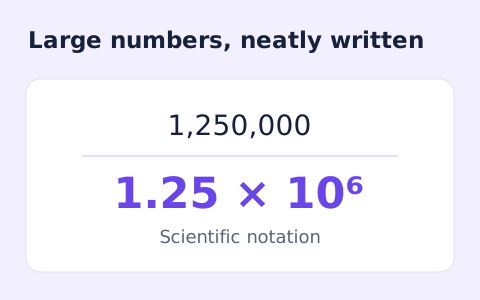
Scientific Notation Converter
Convert decimal numbers to normalized scientific notation and back using digit-based arithmetic.
Open toolSimplify signed integer fractions exactly and see the greatest common divisor and mixed-number form.
Enter the inputs, then select Calculate.
Result will appear here
The simplifier divides the numerator and denominator by their greatest common divisor and moves any denominator sign into the numerator.
The result includes the reduced fraction, common divisor, and mixed-number representation. A zero numerator becomes 0/1, while a zero denominator is rejected.
Both fields accept integers of up to 100 digits.

Enter the numerator and denominator as signed whole numbers, with no decimal point or unit.
Put the signed whole-number numerator and denominator into their separate fields. Do not paste the slash, decimals, units, or grouping commas. The denominator must be nonzero.
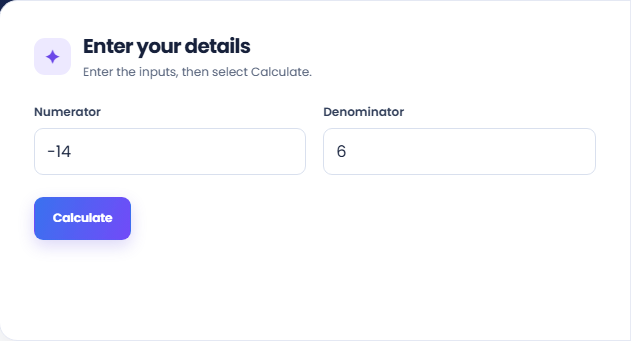
Run the simplifier and read the lowest-terms fraction. Exact integer arithmetic divides both original parts by their common divisor and normalizes the denominator to a positive value.
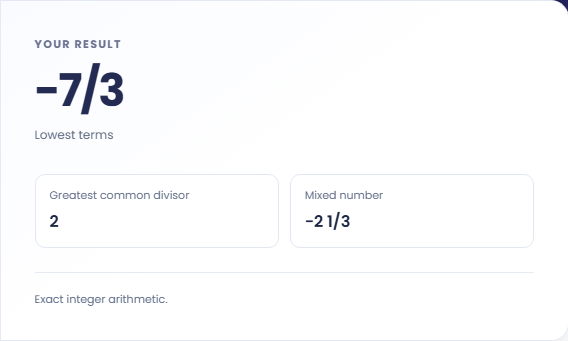
Read the greatest common divisor and mixed-number result alongside the fraction. Record the representation your next calculation needs. A result that stays unchanged may already be in lowest terms.

Simplification is useful when equivalent fractions need a consistent form for reading or comparison.
Simplify a fraction produced during a classroom exercise so the final line is easier to read. Keep the earlier calculation steps visible; reducing the last fraction does not establish that the arithmetic used to obtain it was correct.

Reduce two fractions separately and compare their normalized results. Matching reduced fractions represent the same ratio. This method helps distinguish a different presentation of a ratio from a change in the quantities being compared in the source problem.

Use the mixed number display for a quantity larger than one when that format suits an explanation. Retain the improper fraction if another calculation expects it, because this tool does not add, subtract, multiply, or divide separate fractions.

Read the reduced fraction alongside its original integers and the greatest common divisor.
The fraction is reduced using exact integer arithmetic. A result with a positive denominator gives the sign one consistent location, making fractions entered with different sign positions easier to compare.
A zero numerator reduces to zero over one. A zero denominator is rejected because it does not define a fraction. The greatest common divisor describes the reduction, not an additional result to add.

Whole-number inputs and a nonzero denominator are required before a fraction can be reduced.
Both fields accept integers of up to 100 digits. Remove commas, decimal points, slash characters, and surrounding explanatory text. Enter the two parts separately instead of pasting the entire fraction into one field.
If the result is unchanged, the original fraction may already be in lowest terms. Check the common divisor and the input digits before expecting every submitted fraction to produce smaller numbers.

Convert decimal numbers to normalized scientific notation and back using digit-based arithmetic.
Open tool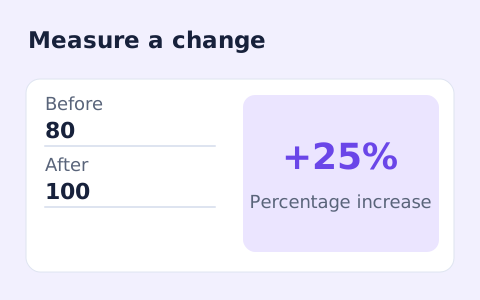
Calculate percentage change and absolute difference between a positive starting value and a new value.
Open tool
Calculate a weighted grade from scores, points possible, and weights for multiple assignments.
Open toolChoose another tool for your next calculation, conversion, or text task.

Quickly split a bill with a percentage tip. See the tip amount, total, and per-person amount.
Open tool
Split a bill among friends using a subtotal, sales tax, tip, and number of people.
Open tool
Add courses, letter grades, and credit hours to calculate a weighted 4.0-scale GPA.
Open tool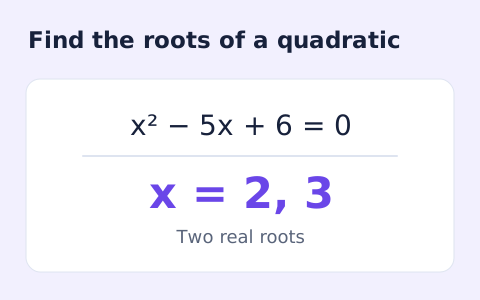
Find the discriminant and real or complex roots of a quadratic equation.
Open toolEnter the numerator and denominator as signed whole numbers, with no decimal point or unit.
Answers about using Fraction Simplifier and understanding its results.
Yes. A negative sign is normalized to the numerator.
Zero over any nonzero denominator simplifies to 0/1.
The fields accept signed integers. Express the decimal as an integer fraction first, then enter the numerator and denominator separately.
Its numerator and denominator may already have a greatest common divisor of one. Check that divisor and the entered digits.