


JSON To Query String Converter
Convert a JSON object of strings or string arrays into a URL query string.
Open toolQuote raw text as a JSON string or decode one JSON string literal. Up to 100,000 characters.
Enter the inputs, then select Convert.
Result will appear here
Quote raw text as a JSON string or decode one JSON string literal.
Up to 100,000 characters. Unquote accepts only one valid JSON string, not an object, array or number.
Follow the labelled inputs.
Replace the example with raw text. The field labels specify the expected format and units.
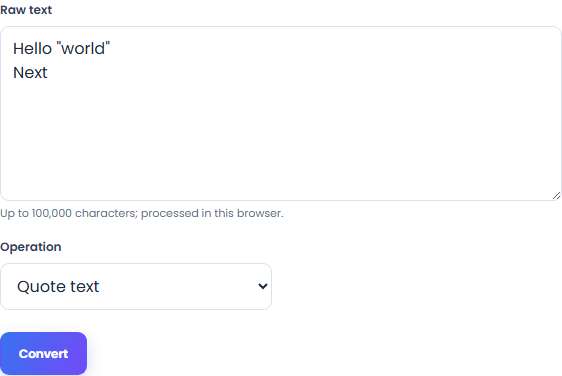
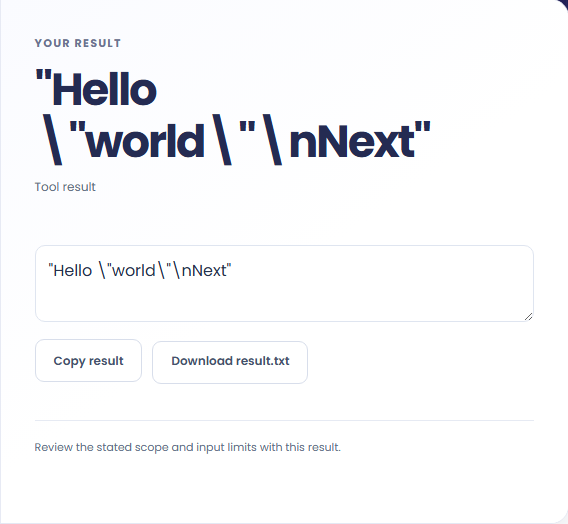
Select Convert. Review the displayed text, then copy it or download the result text.
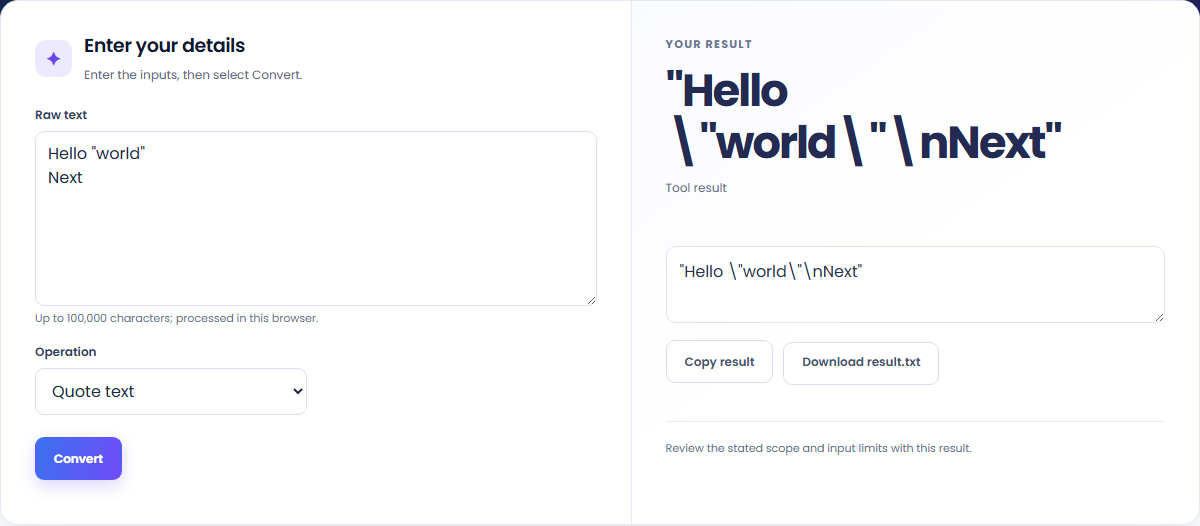
The starting example produces "Hello \"world\"\nNext". Quote raw text as a JSON string or decode one JSON string literal.


Copy the displayed text into your notes. Keep the formula and assumptions with it if someone else needs to reproduce the calculation.

Check the stated scope before you run it.
Convert a JSON object of strings or string arrays into a URL query string.
Open tool
Convert URL query parameters into a JSON object of string arrays.
Open tool
Compare two JSON values by structure. See changed paths without treating object key order as a difference.
Open toolChoose another tool for your next calculation, conversion, or text task.
Infer a draft-07 JSON Schema from a sample object or object array, then review it before using it as a contract.
Open tool
Validate JSON against a draft-07 or 2020-12 schema. Review error paths without sending the documents to a server.
Open tool
Generate TypeScript definitions from a local JSON Schema. Structural types and internal definitions become source code; runtime validation rules still need a validator.
Open tool
Generate nested C# model definitions from a JSON example. Review the inferred fields, then copy or download the source.
Open toolAnswers about using JSON String Escape Converter and understanding its results.
Up to 100,000 characters. Unquote accepts only one valid JSON string, not an object, array or number.
Copy result copies the displayed text. Download saves the same text as a TXT file. Processing runs in this browser without an account.
Check the displayed text, then copy or download it.