
Cron Expression Generator
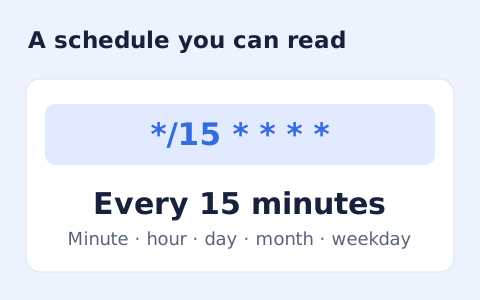
Build a standard five-field cron schedule.
Open toolIFTTT.ai rebrands the classic If This Then That automation service around a natural-language AI Agent, AI Action assist, IFTTT Chat, Model Context Protocol (MCP) support, and credit-based execution across 1,000+ consumer apps, smart home devices, and web tools.
IFTTT.ai runs cloud Applets and AI Agents on ifttt.com (this page does not execute live Applets in your browser). Use this planner to estimate monthly trigger and action volume and compare fit against Zapier, Make, and n8n.
Result will appear here
IFTTT (long known for 'If This Then That' Applets connecting apps and smart devices) now operates under the IFTTT.ai brand at ifttt.com. Following its June 2026 Product Hunt rollout and continuous autumn updates, including the October 28, 2026 release of its AI Agent and AI Action assist guide, the platform pairs its catalog of 1,000+ connected services with natural-language AI Agents, conversational IFTTT Chat, Model Context Protocol (MCP) links, and a credit-based usage model. Note: this page is an independent overview and workload planner; live Applets and AI Agents run on IFTTT's cloud infrastructure.
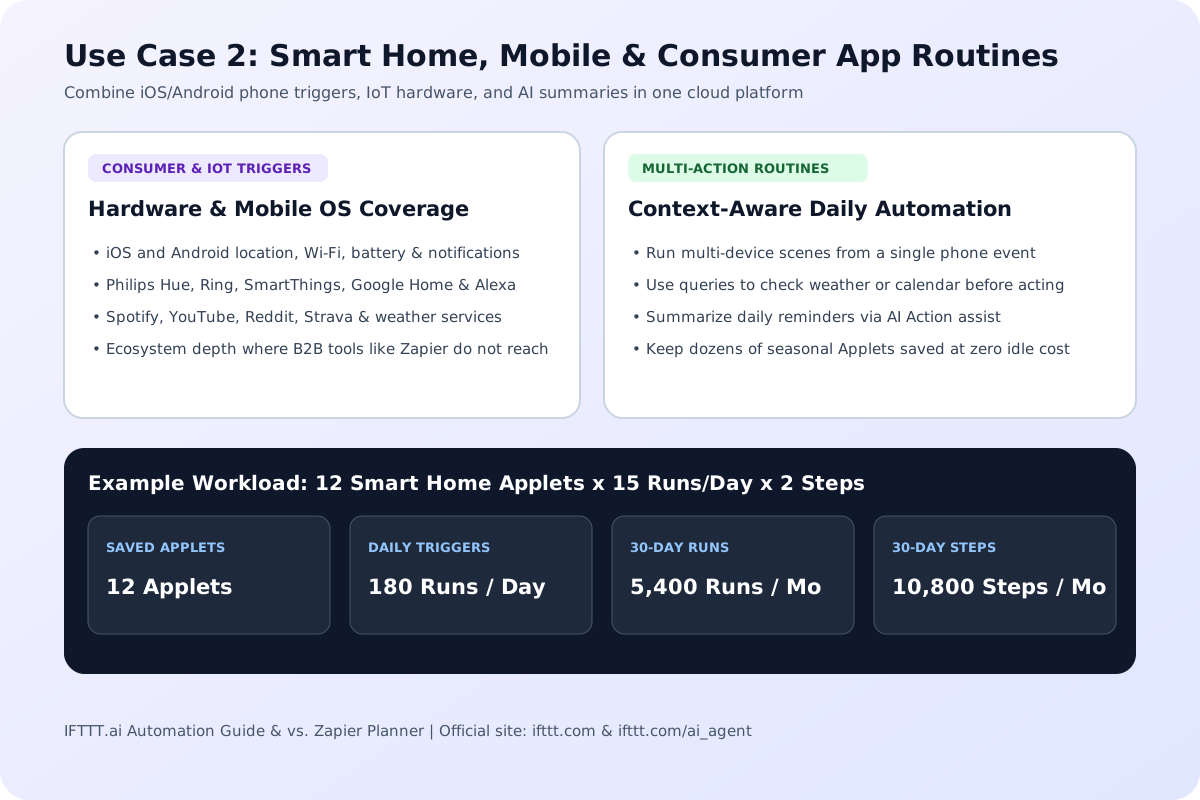
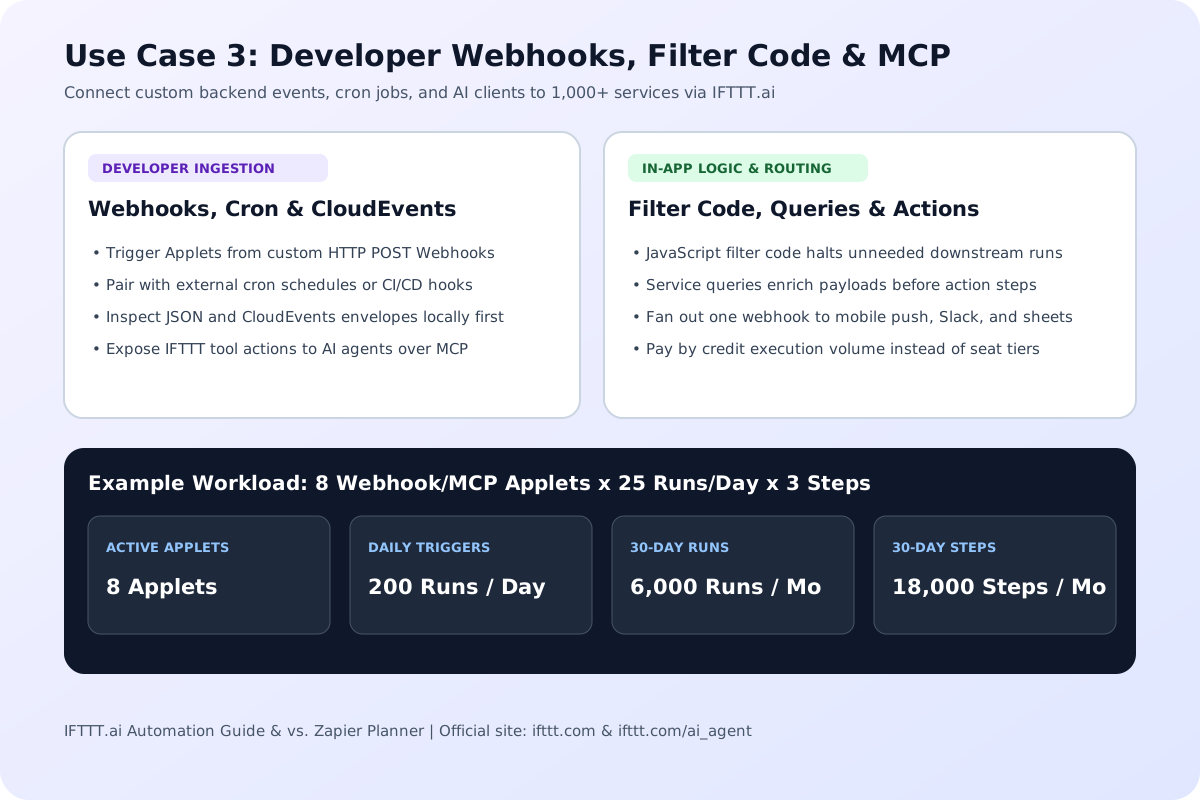
DailyTriggerRuns = ActiveApplets * TriggersPerDay; MonthlyTriggerRuns = DailyTriggerRuns * 30; MonthlyActionSteps = MonthlyTriggerRuns * ActionsPerRun; AnnualActionSteps = MonthlyActionSteps * 12.
You can create unlimited Applets on ifttt.com and consume credits only when triggers, queries, and actions actually execute. If you are scheduling recurring webhook jobs outside IFTTT, use our Cron Expression Generator to format standard five-field cron expressions.
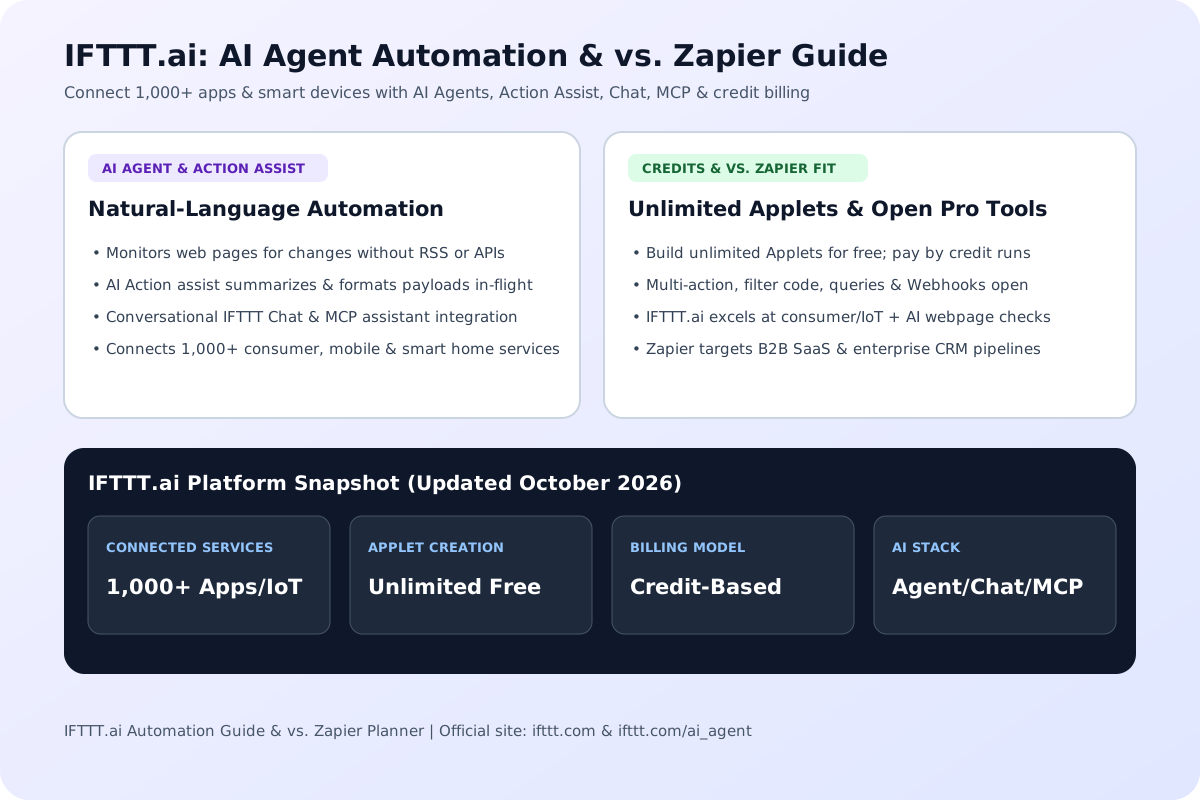
Objective comparison of publicly documented capabilities, ecosystem focus, and billing models across IFTTT.ai, Zapier, Make, and n8n (updated October 2026).
| Capability / Dimension | IFTTT.ai (ifttt.com) | Zapier | Make | n8n |
|---|---|---|---|---|
| Core Ecosystem & Strengths | 1,000+ consumer apps, mobile OS triggers, smart home hardware & web utilities | 8,000+ B2B SaaS, CRM, marketing, sales & enterprise cloud apps | Visual multi-branch API scenarios, webhooks & array routers | Developer-first node workflows, custom code & self-hosted pipelines |
| Native AI Agent & Webpage Monitoring | Built-in AI Agent (monitors webpage changes + runs cross-service actions), AI Action assist & IFTTT Chat | Zapier Central / AI steps focused on SaaS app triggers and tables | AI module blocks placed inside visual scenario graphs | LangChain and LLM agent nodes inside node-based workflows |
| Model Context Protocol (MCP) Support | Native MCP support connecting IFTTT actions and services to AI assistants | AI actions and MCP bridges oriented toward business SaaS | HTTP, webhook, and scenario tool bridges | Native and community MCP server and client workflow nodes |
| Billing & Quota Model | Credit-based usage; create unlimited Applets for free and pay by execution volume | Tiered monthly subscriptions billed per task execution | Tiered monthly subscriptions billed per module operation | Free self-hosted community edition or cloud tiers billed per full workflow execution |
| Multi-Action, Filters, Queries & Webhooks | Open across all plans (multi-action Applets, filter code, queries & Webhooks included) | Multi-step Zaps, conditional paths, and webhooks gated behind paid tiers | Routers, filters, iterators, and webhooks available in core canvas | Full JavaScript/Python code nodes, branching, and webhooks in all editions |
| Smart Home & Mobile Device Triggers | Deep native coverage (iOS/Android location, notifications, Philips Hue, Ring, SmartThings) | Minimal consumer IoT or phone sensor triggers; built for cloud SaaS | Limited native IoT hardware support without custom HTTP/MQTT bridges | Requires Home Assistant or custom webhook/MQTT integrations |
| Best Fit Use Cases | Webpage change alerts, smart home + AI routines, personal productivity & lightweight webhooks | Multi-department CRM sync, B2B lead routing & enterprise SaaS compliance | Complex visual branching, JSON array mapping & agency automations | Self-hosted backend automation, internal dev tools & custom AI agent graphs |
IFTTT.ai adds four AI-driven automation layers on top of its classic trigger-action Applet engine.
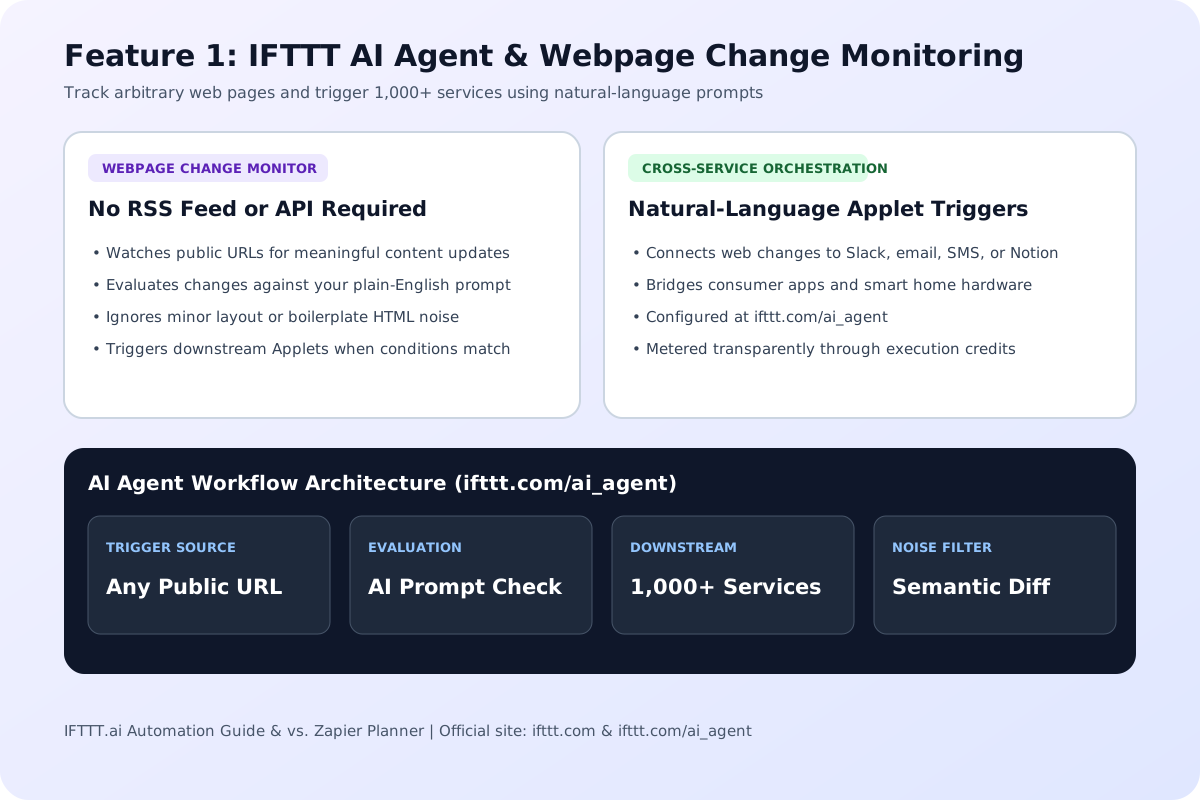
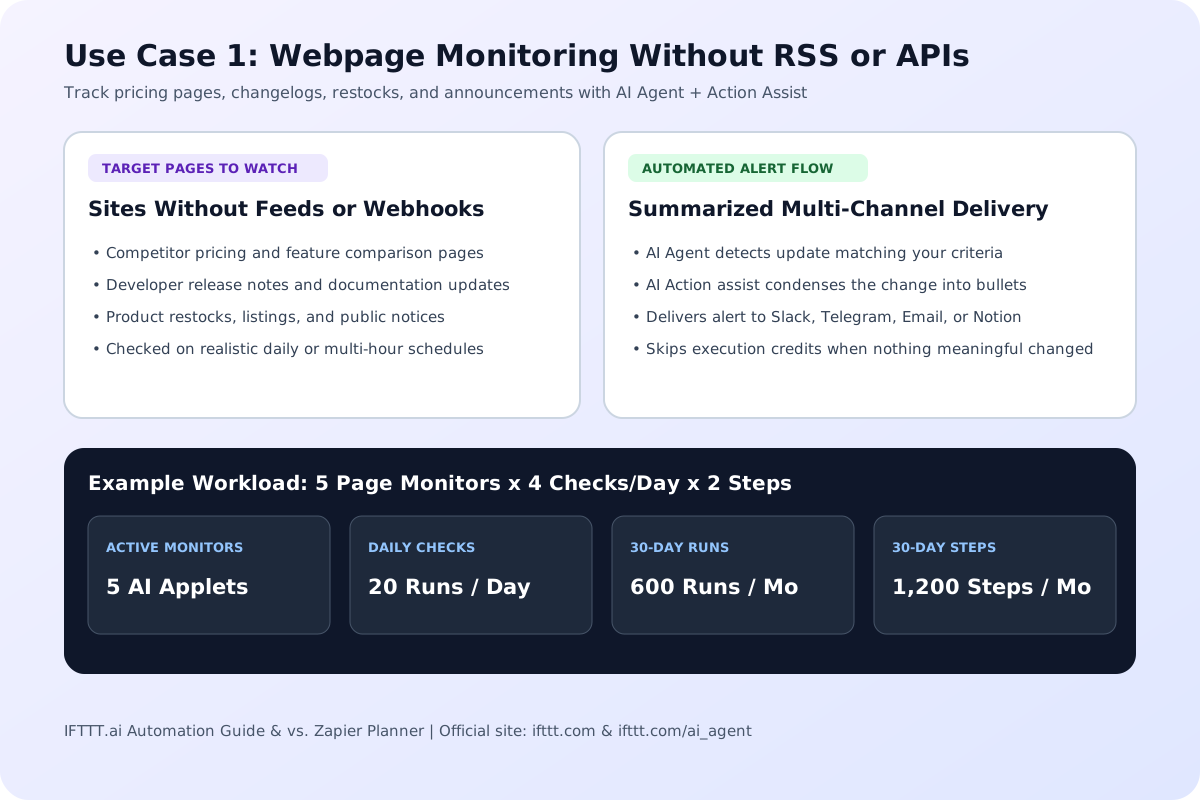
Documented on the official IFTTT AI Agent hub, the AI Agent lets you describe a goal in plain English and monitor public web pages for specific changes even when a site offers no RSS feed or API. Instead of firing on every minor HTML edit, the agent evaluates whether the page update matches your prompt before triggering downstream service actions.
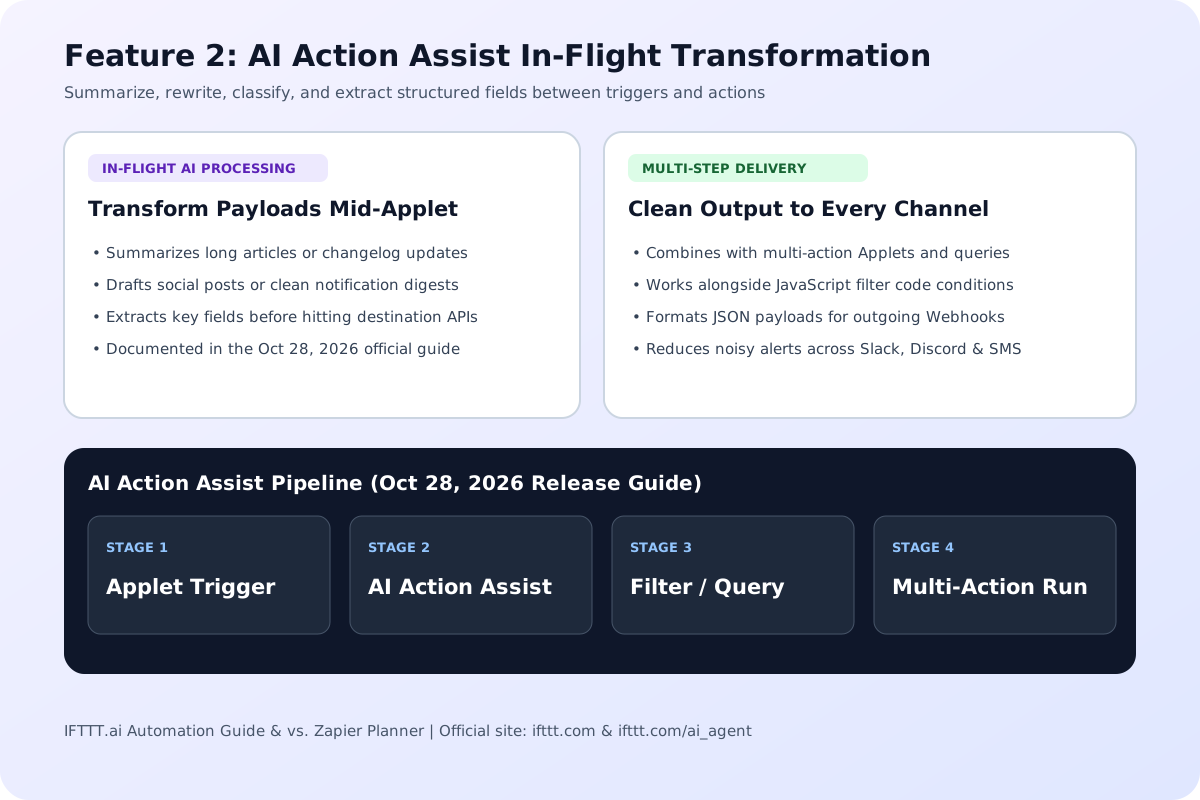
As detailed in the official AI Agent and AI Action assist guide (published October 28, 2026), AI Action assist works inside an Applet between the trigger and the destination service. It can summarize incoming articles, draft social copy, extract structured values, or clean up raw text before sending the payload to Slack, Notion, email, or a Webhook. When debugging custom JSON webhook payloads, you can validate and indent them locally with our JSON Formatter.
IFTTT Chat provides a conversational interface for triggering Applets and querying connected services on demand, while Model Context Protocol (MCP) support allows external AI assistants to call IFTTT's 1,000+ service integrations as structured tools. Under the updated platform rules, multi-action Applets, JavaScript filter code, queries, and Webhooks are open across plans rather than locked behind legacy tier gates.
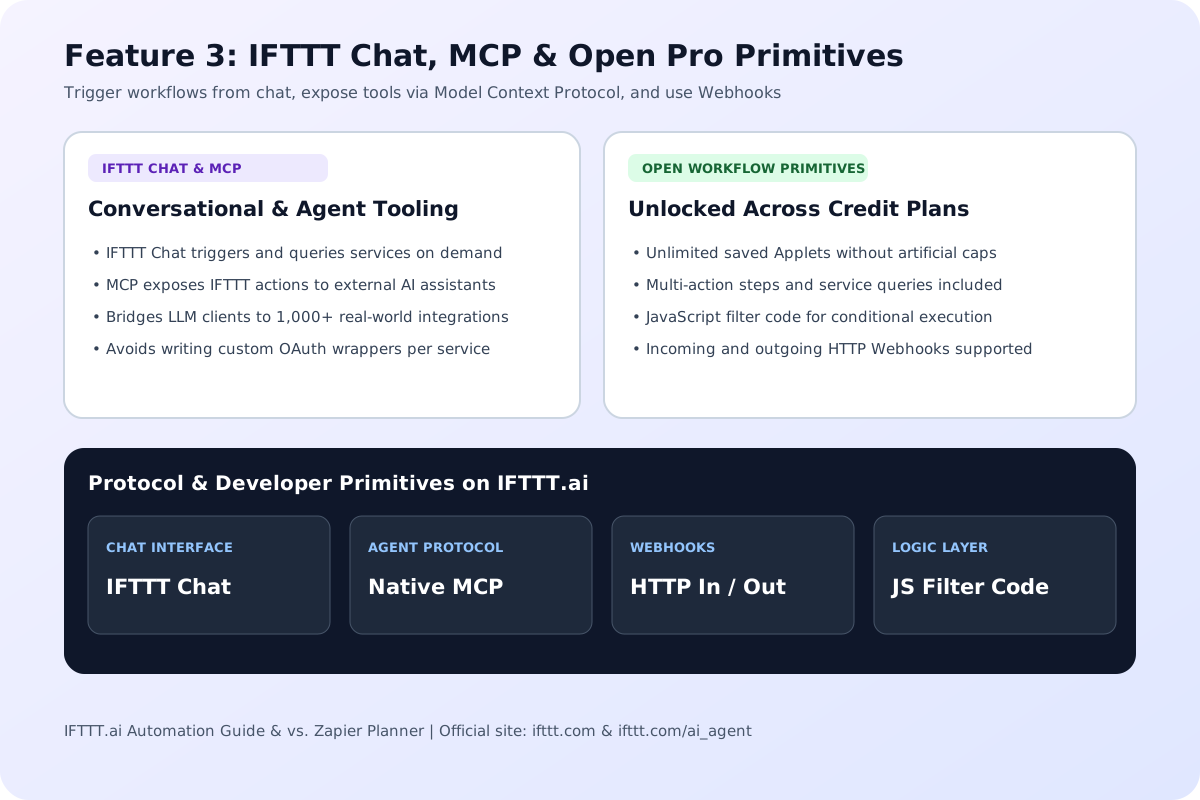
IFTTT.ai serves individuals, creators, smart-home enthusiasts, and developers who want AI webpage monitoring and cross-device Applets without enterprise SaaS overhead.
Analysts, shoppers, and product teams can point the IFTTT AI Agent at pricing pages, documentation changelogs, job boards, or stock listings, let AI Action assist summarize only meaningful updates, and deliver alerts to Slack, Telegram, Discord, or SMS.
Homeowners and power users can bridge iOS and Android location, battery, or notification events with Philips Hue, Ring, SmartThings, Google Assistant, and Spotify. IFTTT.ai retains this consumer hardware footprint where B2B-focused tools like Zapier rarely integrate.
Indie builders can connect custom HTTP Webhooks, JavaScript filter code, queries, and MCP endpoints to 1,000+ consumer and cloud services while paying by execution volume. If your backend emits standardized CNCF webhook envelopes, pair your setup with our CloudEvents Validator.
How credit-based execution changes Applet design, and when to pick IFTTT.ai over Zapier, Make, or n8n.
How the IFTTT.ai Credits Model Works (Unlimited Applets, Pay by Execution Volume): Earlier versions of IFTTT restricted free users to a tiny fixed number of saved Applets and gated multi-step actions, filter code, queries, and Webhooks behind Pro or Pro+ subscriptions. Under the IFTTT.ai credit model (highlighted on the Product Hunt launch page), users can build unlimited Applets for free and unlock multi-action workflows, queries, filter code, and Webhooks across plans. Credits are deducted based on actual runtime execution volume. Because credit consumption weights and bundle prices can vary between standard service actions and AI Agent tasks, check the live pricing page on IFTTT's website for current credit allocations. To compare monthly automation subscription spend against engineering or operations hours saved, run your numbers in our AI ROI Calculator.
IFTTT.ai vs. Zapier (and When to Use Make or n8n): Choose IFTTT.ai when your automation combines consumer apps, mobile phone triggers, smart home hardware, AI Agent webpage monitoring, or MCP assistant actions, and when you want to keep dozens of low-frequency Applets active without hitting a saved-workflow cap. Choose Zapier when your organization needs deep B2B SaaS integrations (such as Salesforce, HubSpot, NetSuite, or Workday), team folder governance, and enterprise audit logs. Choose Make if your workflow depends on visual multi-branch routers and complex JSON array iterators, or choose n8n if you want to self-host workflows on your own Docker server with full JavaScript and Python code nodes.
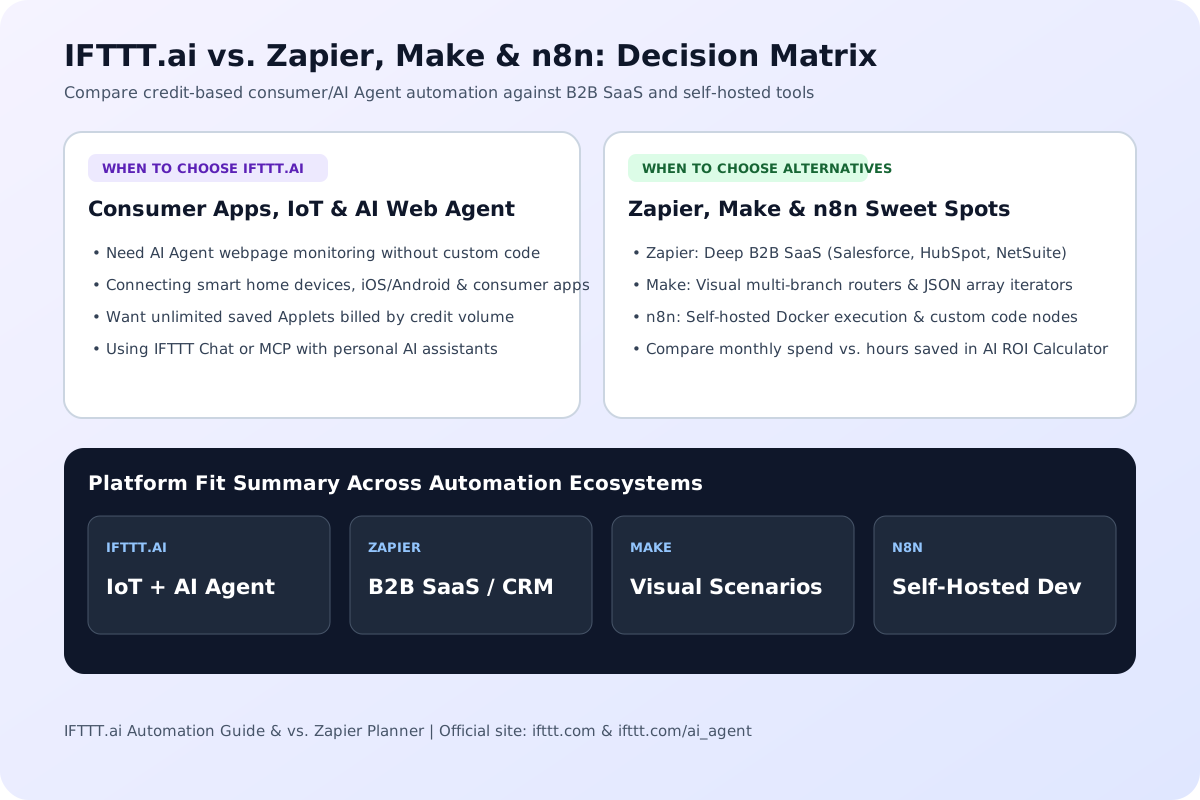
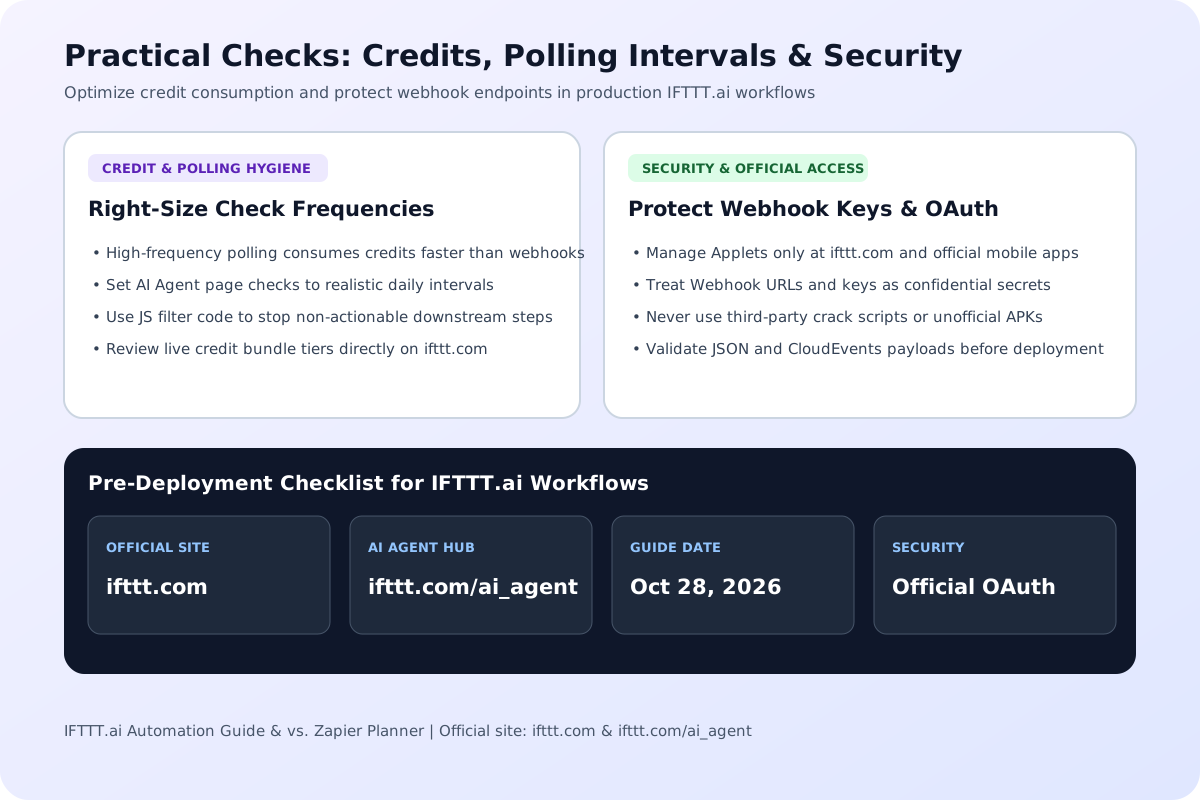
Keep these execution, polling, and account safety guidelines in mind before deploying high-frequency Applets.
1. Right-Size Polling Frequency & Filter Early: Under a credit-based billing model, an Applet or AI Agent webpage monitor that checks every few minutes will consume credits much faster than an event-driven trigger or a daily digest. Set webpage monitoring intervals to match how often the target site actually updates, and use IFTTT filter code to stop downstream actions when a trigger payload does not require action.
2. Official Authentication & Safe Webhook Keys: Always connect accounts and manage AI Agents directly through the official IFTTT domain and mobile apps. Treat incoming and outgoing Webhook URLs as bearer secrets, rotate them if exposed in public repositories, and avoid unofficial third-party browser extensions or 'unlimited credit' scripts that request your account credentials.
Build a standard five-field cron schedule.
Open tool
Validate CNCF CloudEvents v1.0 and v0.3 structured JSON payloads or HTTP binary headers (ce-*). Check required attributes, RFC 3339 timestamps, URI-references, and extension naming.
Open tool
Parse strict JSON and serialize it with the chosen indentation.
Open toolChoose another tool for your next calculation, conversion, or text task.

Estimate AI tool subscription and API token costs against hours saved, hourly labor value, and setup payback months. Free browser-based calculator, no sign-up.
Open tool
Free interactive AI App Playbook calculator and checklist. Score your app niche (25/35 gate), model $2.70/download funnel unit economics, compare Lean vs. Popular stack costs, and export an AGENTS.app.md brief.
Open tool
Check a local Swagger 2.0, OpenAPI 3.0 or OpenAPI 3.1 document for schema errors and broken internal references. Read the reported paths without querying your API.
Open tool
Inspect the header and payload of a compact JWT without verifying its signature.
Open toolAnswers about using IFTTT.ai: AI Agent Automation & vs. Zapier Guide and understanding its results.
Yes. IFTTT (If This Then That) now brands its platform as IFTTT.ai at https://ifttt.com/. While keeping its library of 1,000+ app and smart device integrations, the platform added the IFTTT AI Agent, AI Action assist, IFTTT Chat, Model Context Protocol (MCP) support, and a credit-based usage model.
According to the official guide at https://ifttt.com/explore/ai-agent-ai-action-assist (published October 28, 2026), the AI Agent acts as an intelligent trigger and orchestrator that can monitor web pages for specific changes and trigger cross-service workflows from natural language. AI Action assist works mid-workflow to summarize, rewrite, classify, or extract text between a trigger and a downstream action.
Instead of capping how many Applets you are allowed to create, IFTTT.ai lets you build unlimited Applets for free and charges credits based on how often your Applets, queries, and AI Agent steps actually run. Multi-action Applets, filter code, queries, and Webhooks are open across plans. Check https://ifttt.com/plans for current credit bundle tiers.
IFTTT.ai is strongest for consumer apps, smart home hardware, mobile OS triggers, AI Agent webpage change monitoring, and MCP connections with credit-based billing across unlimited Applets. Zapier is built primarily for B2B SaaS workflows, CRM pipelines, and enterprise team administration, billing per task across tiered monthly plans.
Yes. Public release notes for IFTTT.ai confirm that multi-action Applets, queries, JavaScript filter code, and Webhooks are available across plans, with usage metered through the platform's credit system rather than restricted to a single top-tier plan.
MCP support allows compatible AI assistants and agent clients to connect to your IFTTT.ai account and invoke Applets or actions across IFTTT's 1,000+ connected services using the open Model Context Protocol standard.
No. This page is an independent guide, comparison reference, and browser-based workload estimator. To create and run live Applets or AI Agents, sign in to the official platform at https://ifttt.com/ or https://ifttt.com/ai_agent.
Choose another tool for your next calculation, conversion, or text task.