
Add Text To Image Converter
Draw a single line of supplied text onto the bitmap using a browser sans-serif font.
Open toolRead the RGBA values at one integer-pixel position and print hex and CSS forms. Coordinates must lie inside the image.
Enter the inputs, then select Process image.
Result will appear here
Read the RGBA values at one integer-pixel position and print hex and CSS forms.
Coordinates must lie inside the image. Reports decoded pixels, including alpha; color profiles may be interpreted by the browser.
Start with your own input.
Choose a supported local file. Coordinates must lie inside the image.
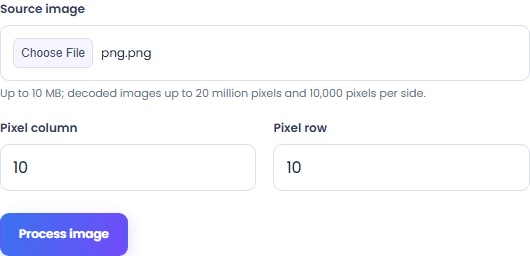
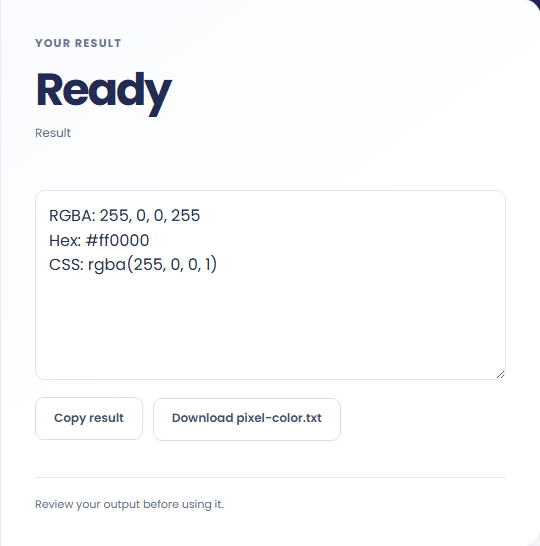
Select Process image. Review RGBA, hex and CSS color values, then use Copy result or download the result file.
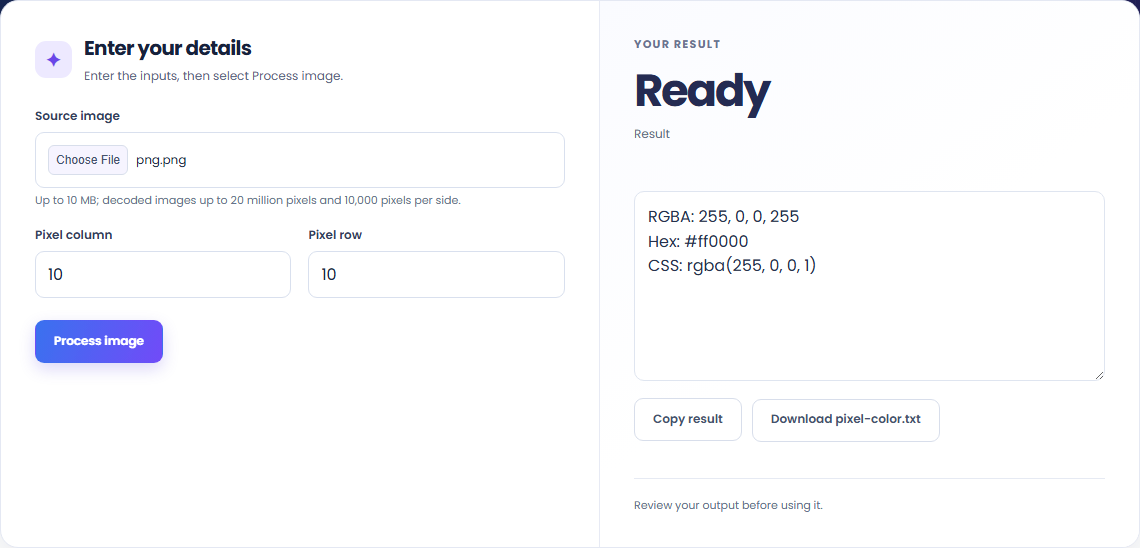
To read a pixel color, start with source image. Read the RGBA values at one integer-pixel position and print hex and CSS forms.
To inspect transparent pixels, start with source image. Coordinates must lie inside the image.
To copy a color into CSS, start with source image. Review RGBA, hex and CSS color values, then use Copy result or download the result file.

Check what the output means.
RGBA, hex and CSS color values. Read the RGBA values at one integer-pixel position and print hex and CSS forms.
Coordinates must lie inside the image. Reports decoded pixels, including alpha; color profiles may be interpreted by the browser.
Check the format before processing.
Coordinates must lie inside the image. Reports decoded pixels, including alpha; color profiles may be interpreted by the browser.
Inputs and results are handled in this browser.

Draw a single line of supplied text onto the bitmap using a browser sans-serif font.
Open tool
Draw one text watermark at the lower-right corner with the supplied opacity.
Open tool
A PCM WAV with pitch and duration changed together. Resample decoded audio at a playback-rate factor of two to the semitone shift divided by twelve.
Open toolChoose another tool for your next calculation, conversion, or text task.
A ZIP of consecutive PCM WAV segments. Copy decoded audio samples into consecutive files at the entered segment duration.
Open tool
A PCM WAV containing the selected audio interval. Decode the local audio and copy samples between the entered start and end times.
Open tool
Decode the selected AVIF image and encode a PNG file at the same pixel dimensions.
Open tool
Apply the canvas Gaussian blur filter to the source bitmap.
Open toolReview RGBA, hex and CSS color values, then use Copy result or download the result file.
Answers about using Image Color Picker and understanding its results.
Coordinates must lie inside the image. Reports decoded pixels, including alpha; color profiles may be interpreted by the browser.
Yes. Download the result file after processing. Text results also have Copy result. Processing uses local browser code; no account is required.