

Cost Per Acquisition Calculator
Find advertising cost per attributed acquisition and compare it with a supplied target.
Open toolFind attributed advertising cost of sales and its difference from a supplied target. Provide Attributed advertising spend, Attributed sales revenue, Target ACOS (%) to compute results directly in your browser. Same attribution window and currency. ACOS=100*spend/sales; target is supplied, not an advertising recommendation. Inputs and results use floating-point numbers; output shows up to 12 significant digits. Rounding can occur. Common search workflows supported include "acos calculator".
Enter the inputs, then select Calculate.
Result will appear here
The ACOS Calculator evaluates Attributed advertising spend, Attributed sales revenue, Target ACOS (%) in client-side JavaScript using the deterministic rule below and updates the output panel immediately without uploading data to a server.
Find attributed advertising cost of sales and its difference from a supplied target.
Same attribution window and currency. ACOS=100*spend/sales; target is supplied, not an advertising recommendation. Inputs and results use floating-point numbers; output shows up to 12 significant digits. Rounding can occur.
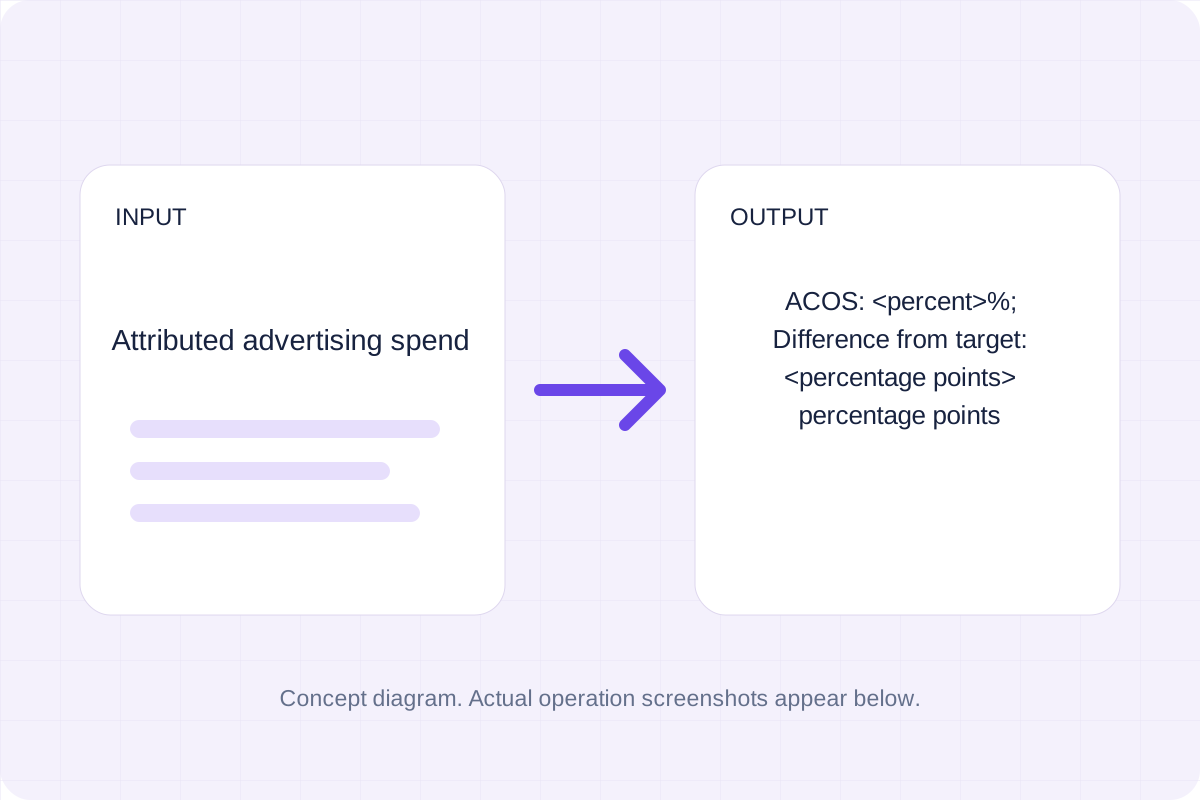
Review the input parameters, allowed value ranges, and worked reference cases for the ACOS Calculator below before running your calculation.
| Parameter / Scenario | Default / Sample Value | Rule or Allowed Range | Output / Usage Note |
|---|---|---|---|
| Input: Attributed advertising spend | 20 | Range: 0 to 1000000000.0 | Required workspace parameter |
| Input: Attributed sales revenue | 100 | Range: 1e-09 to 1000000000.0 | Required workspace parameter |
| Input: Target ACOS (%) | 25 | Range: 0 to 100 | Required workspace parameter |
| Worked Case 1: Baseline run (Attributed advertising spend = 20) | Preloaded / test values | Find attributed advertising cost of sales and its difference from a supplied target | Attributed advertising spend = 20; Attributed sales revenue = 100; Target ACOS (%) = 25. The displayed output is ACOS: 20% Difference from target: -5 percentage points. |
| Worked Case 2: Comparison scenario (acos calculator online) | Preloaded / test values | Find attributed advertising cost of sales and its difference from a supplied target | Attributed advertising spend = 15; Attributed sales revenue = 50; Target ACOS (%) = 20. The displayed output is ACOS: 30% Difference from target: 10 percentage points. |
Follow these three steps to configure Attributed advertising spend, Attributed sales revenue, Target ACOS (%), verify unit and boundary rules, and export your ACOS Calculator output.
Enter attributed advertising spend. Allowed range: 0 to 1000000000.0.
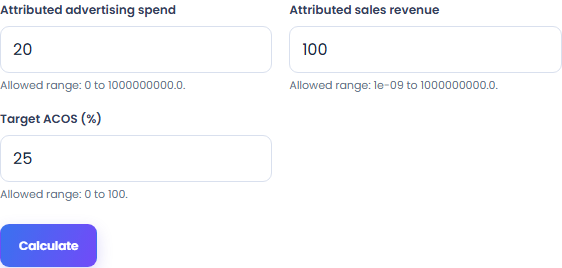
Set attributed sales revenue, target acos (%). Same attribution window and currency.
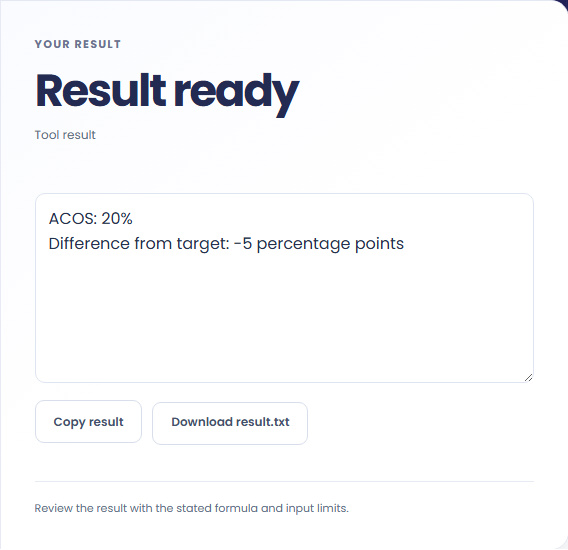
Select Calculate to see the advertising cost-of-sales percentage and target difference. Copy result copies this text; Download saves it as a TXT file.
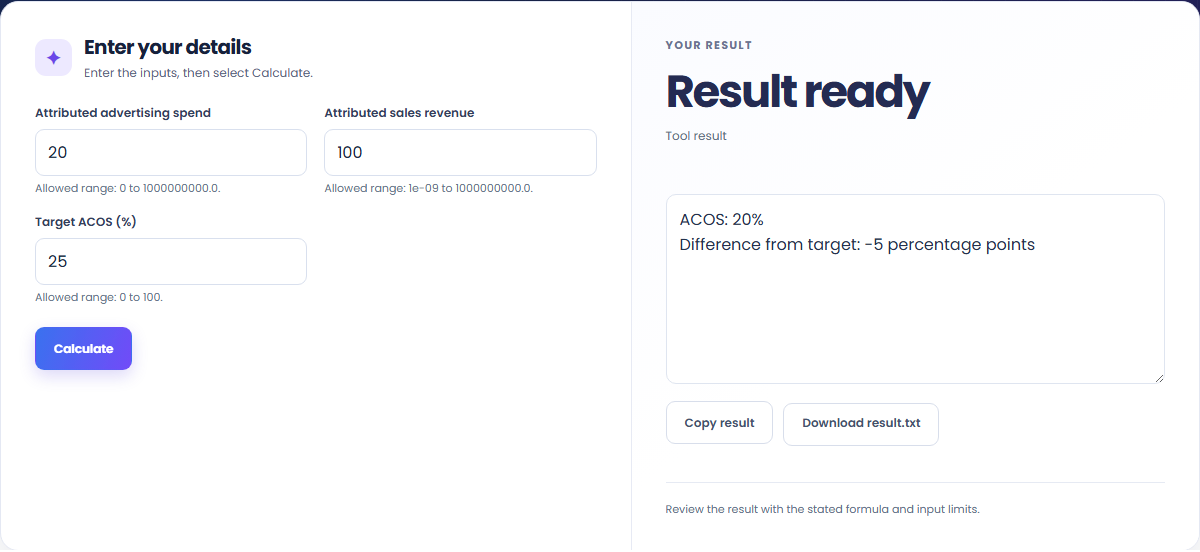
These concrete scenarios illustrate how the ACOS Calculator processes baseline inputs, comparison checks, and boundary constraints.
Attributed advertising spend = 20; Attributed sales revenue = 100; Target ACOS (%) = 25. The displayed output is ACOS: 20% Difference from target: -5 percentage points.

Attributed advertising spend = 15; Attributed sales revenue = 50; Target ACOS (%) = 20. The displayed output is ACOS: 30% Difference from target: 10 percentage points.

When solving for 'acos calculator', verify that Attributed advertising spend, Attributed sales revenue, Target ACOS (%) use consistent units and stay within the documented scope: Same attribution window and currency. ACOS=100*spend/sales; target is supplied, not an advertising recommendation. Inputs and results use floating-point numbers; output shows up to 12 significant digits. Rounding can occur.

The output panel reports the exact result derived from Attributed advertising spend, Attributed sales revenue, Target ACOS (%) alongside any unit or formatting notes.
The result is the advertising cost-of-sales percentage and target difference. Compare attributed advertising spend with the sales assigned to it.
ACOS uses attributed sales as its denominator; a target is entered by you.
Numerical output shows up to 12 significant digits. Floating-point arithmetic and display rounding can affect the last digits.

Review these boundary constraints and validation rules before relying on the ACOS Calculator output.
Operational scope: Same attribution window and currency. ACOS=100*spend/sales; target is supplied, not an advertising recommendation. Inputs and results use floating-point numbers; output shows up to 12 significant digits. Rounding can occur. Inputs that violate minimum/maximum bounds or required format rules are rejected with a clear diagnostic prompt.
Need an adjacent calculation in Everyday Math? Use the related tools linked below to chain your workflow without leaving your browser.

Find advertising cost per attributed acquisition and compare it with a supplied target.
Open tool
Find blended acquisition cost from supplied marketing and sales costs and new customers.
Open tool
Find inventory carrying cost and its percentage of supplied average inventory value.
Open toolChoose another tool for your next calculation, conversion, or text task.
Calculate two plane-wave acoustic impedances and a normal-incidence intensity reflection coefficient.
Open tool
List axial room-mode frequencies for the supplied rectangular room dimensions.
Open tool
Find target apparent magnitude relative to a supplied reference flux and magnitude.
Open tool
Find current and projected attendance plus additional fully attended classes needed for a supplied target.
Open toolAnswers about using ACOS Calculator and understanding its results.
The ACOS Calculator applies the rule: Find attributed advertising cost of sales and its difference from a supplied target. Enter Attributed advertising spend, Attributed sales revenue, Target ACOS (%) into the workspace and the tool computes the exact output in your browser.
Yes. Provide Attributed advertising spend, Attributed sales revenue, Target ACOS (%) using the documented units and format shown in the quick reference table above. Preloaded default values let you test the workflow immediately.
Same attribution window and currency. ACOS=100*spend/sales; target is supplied, not an advertising recommendation. Inputs and results use floating-point numbers; output shows up to 12 significant digits. Rounding can occur. Confirm that your inputs fall within the allowed ranges before exporting the result.
Yes. All calculations for the ACOS Calculator execute 100% locally in your browser's JavaScript runtime. No inputs or results are uploaded to any external server.
Choose another tool for your next calculation, conversion, or text task.